Inside the workspace
Design conversation
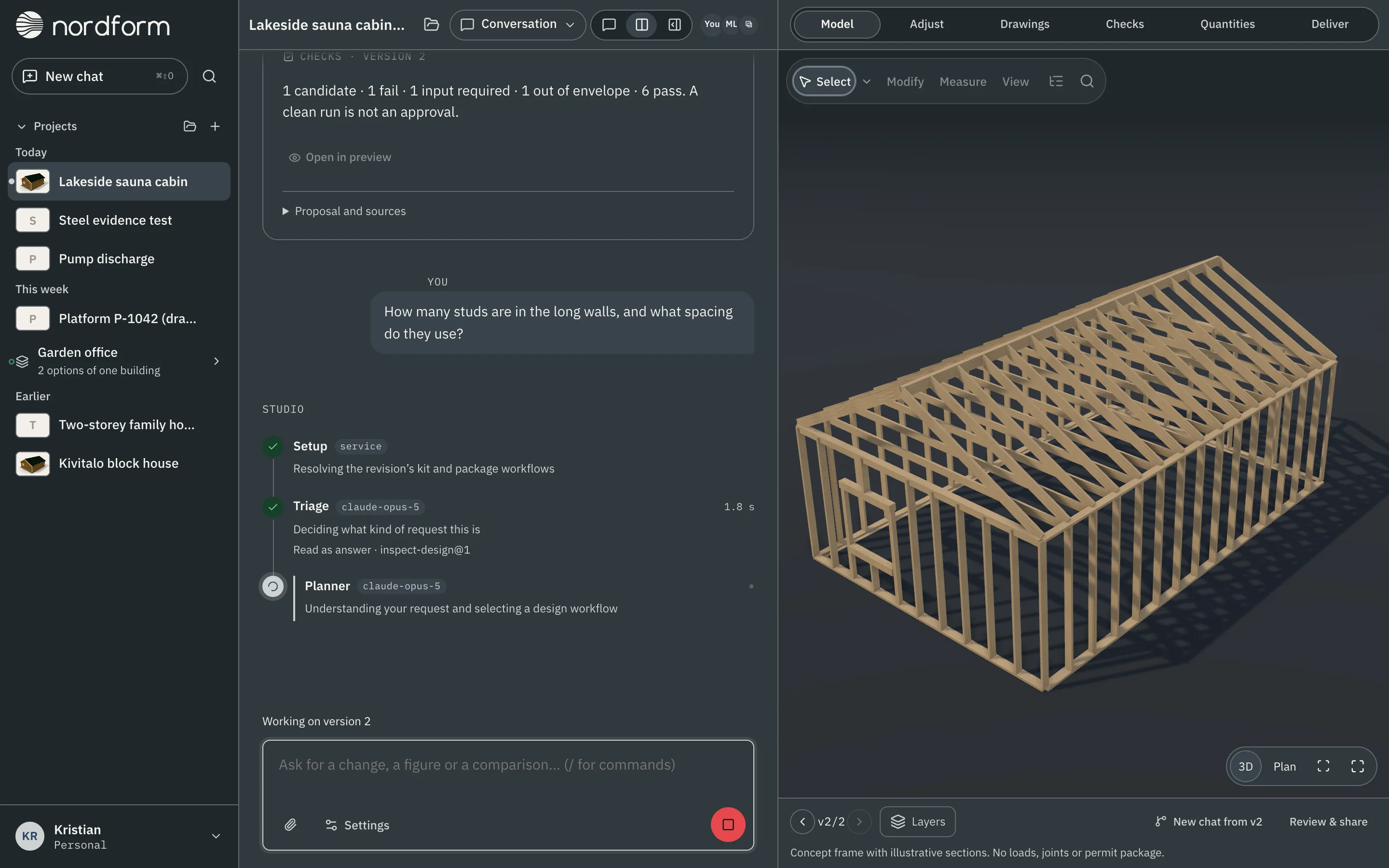
Describe what you need in plain words. Nordform answers with a proposal you can inspect in 3D, and nothing changes until you adopt it as a new saved version.
What you can do
- Start from a brief or your own files. Write the purpose, dimensions, site and must-haves, and attach the documents behind them. Say which facts are confirmed and which are assumptions.
- Ask for a change. "Make it a metre longer and raise the ridge a little." Nordform shows the steps it is taking while it works, then a proposal with the before and after.
- Ask a question. "How many studs are in the long walls?" An answer reads the saved design and adds no version.
- Adopt, or don't. Every proposal needs an explicit adoption, including a single change. Adopting saves a new version; earlier versions stay available.
- Try an option. "New chat from version 2" starts a second line of work from that version. Both stay options of the same building.
How the model is made
The language model reads your request and proposes changes as structured data. The geometry, checks and files come from tested, deterministic code for the design's system, so the same inputs always give the same model. Nordform only generates the systems it supports, within their stated parameters.
Scope
- Nordform makes concept designs. Engineering approval and production detailing are a separate professional scope.
- Sharing a version shares the model and its comments. People you add to the project read the conversation, and editors write in it.
- A request outside what the system supports is answered in words rather than drawn.