Inside the workspace
Checks
Every saved version lists the checks it needs, runs them, and says plainly what was checked, what failed and what was not assessed.
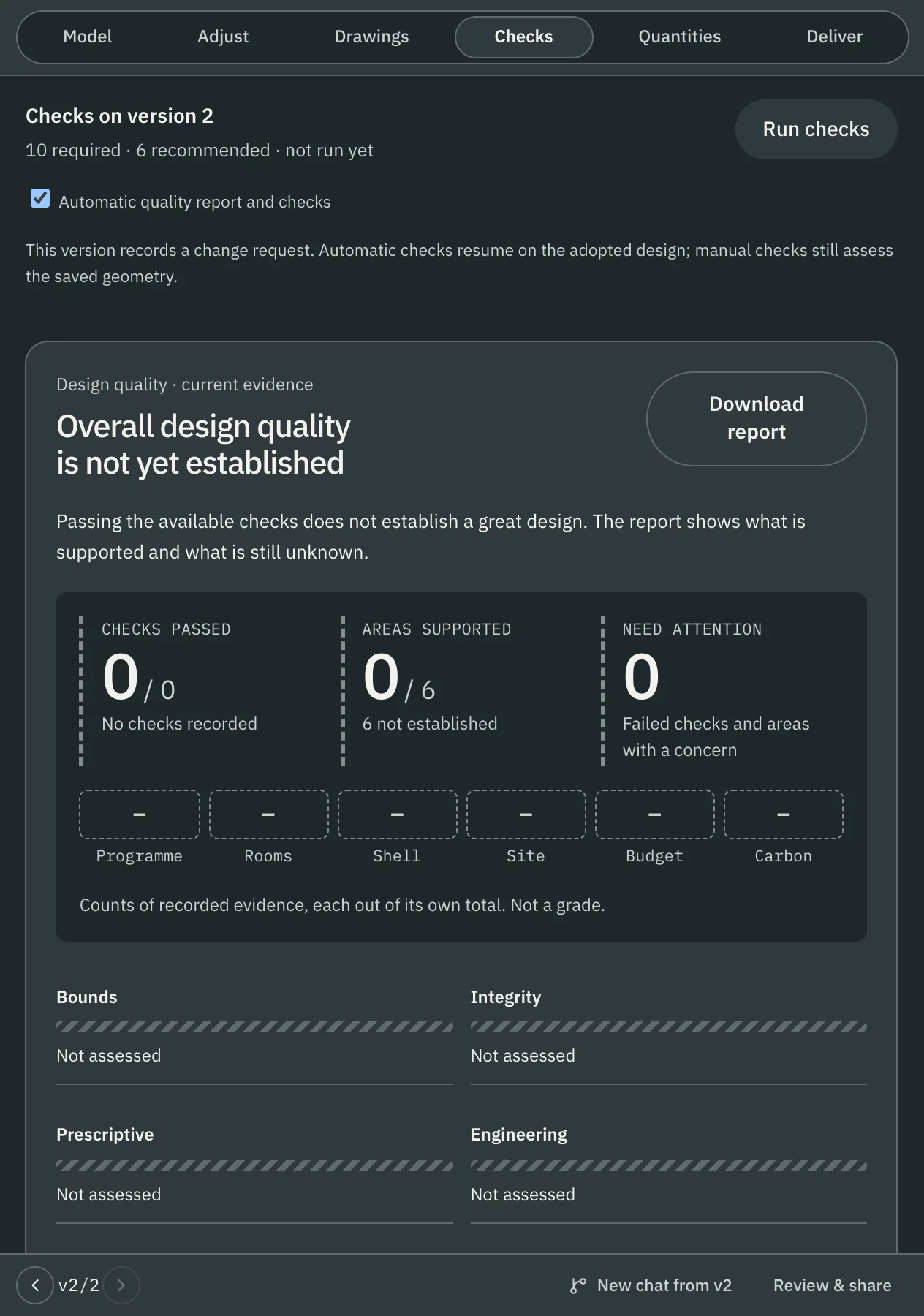
What a version shows
- Required and recommended checks for the design's system, and whether they have run on this version.
- Run checks runs them on the saved version. Each result records the system version, the context it read, the code that evaluated it and a hash of its inputs.
- A quality report you can download. It counts the recorded evidence across programme, rooms, shell, site, budget and carbon, each out of its own total. It is not a grade.
- Check classes: bounds, integrity, prescriptive, engineering and applicability. A check's class limits what it may say: a check that is not deterministic can never report a pass.
Check an attached drawing
Attach a fabrication or assembly drawing as a PDF or DXF and choose Check drawing. The check reads the title block, finds missing positions and quantities in the parts list, compares profiles in the list with those on the drawing, and in a DXF finds overridden or conflicting dimensions. Each finding names its rule, page, and the expected and found values. Accepting a finding never changes the drawing.
Scope
- Checks are advisory. A workflow is qualified for a system and a country when its results are verified independently and a named professional has accepted the check definitions.
- Approval of a design comes from an engineer's opinion, manufacturing release and an authority decision, each its own step.
Every check and the rule it reads · What a change invalidates · Guides: check an attached drawing