NORDFORM / DESIGN SYSTEM
Different minds.
Shared form.
A shared visual language for Nordform Group and the workspace. Quiet surfaces, precise typography, generous space and one warm signal.
Explore the system ↘One voice.
Three clear roles.
Display type creates the hierarchy. Text type does the reading. Monospaced labels carry precise information.
We turn your existing designs into checked, buildable models.
Desktop 96–128 px · mobile 52–64 px · line height 1.02 · tracking −0.04 em. Section titles 64–88 px / 40–48 px, weight 500; short subheads 600.Built around the work.
For manufacturers, contractors and project owners. Keep the language direct and the reading comfortable.
Body 16–18 px · lead 20 px · line height 1.6 · text columns around 60 charactersREV B / CONCEPT
7.0 × 8.0 m
56 m² footprint
Space first.
Signal second.
Chalk and graphite carry the page. Ink anchors the main action; copper adds a warm accent. Use colour to direct attention, not to fill every surface.
Ink #263F61 carries filled primary actions. Secondary actions use fine outlines and medium-weight text. Use copper decoratively; use graphite for small text. Errors, warnings and verified states keep their own meaning; the brand accent is not an approval signal.
Let the work breathe.
Start with an 8 px rhythm. Give ideas more room than controls. Keep edges aligned even when sections switch from white to dark.
Page gutters6% on public content. Full-width imagery and patterns can reach the edge.
Reading widthKeep paragraphs around 60 characters. Let the headline be wider.
Mobile rhythmStack columns. Use 72 px between major sections and keep controls comfortable to tap.
Quiet, until needed.
Rounded public actions, larger product surfaces and subtle elevation. The hierarchy should remain clear without a shadow.
Light workspace
Choose a view. Tab into the controls to see focus; hover to see feedback.
Dark workspace
Choose a view. Tab into the controls to see focus; hover to see feedback.
Peer views use neutral selection. Reserve ink for the main action and copper for sparse emphasis. Compact desktop tabs are 28 px high; touch controls have a 44 px minimum target. Loading here is a visual specimen, not a running job. Motion pauses when reduced motion is preferred.
Know what changed.
A restrained surface for one idea. Rounded corners soften the edge; they do not replace whitespace.
See the design record ↗Shape and depth
Public buttons · pill-shaped
Fully rounded ends, medium-weight labels and a clear focus outline. Keep filled primary and outlined secondary actions distinct.
Framed images · 5.5% of the shorter edge
Preserve the original aspect ratio. Clip the photograph itself without a border or shadow. Drawings, charts, logos and full-bleed photographs retain their natural edges.
Shadow · soft and neutral
0 24px 70px #17181912, plus 0 2px 8px #1718190A. Reserve it for raised product surfaces.
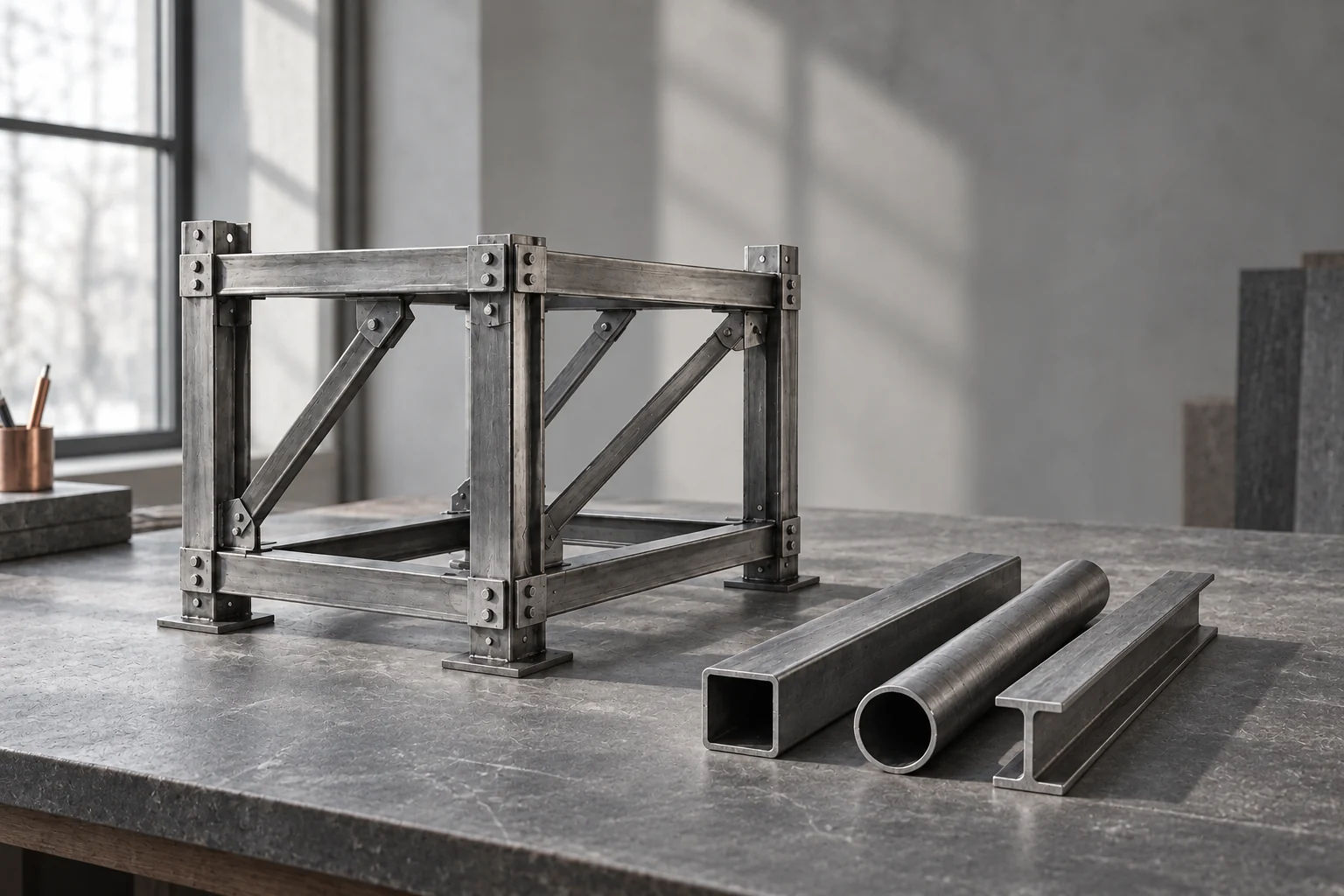
Show the work.
Keep the context.
Neutral light, believable materials and precise detail. Use closely framed material studies with natural light and tactile detail. Company imagery should show people, places and expertise; product visuals should explain an actual workflow.
Illustration.Space for expression.
Precision for work.
Choose Taking form, human photography or a clean full-bleed colour field: one lead at a time. Six continuous paths stay separate and keep their proportions. Brushwork and the stepped band are retired. Footers may use a quiet, static Lift signature shaping the boundary from chalk into graphite above the wordmark, with generous spacing. Never place the signature behind text, tables or drawings.
Professional tools keep their dark primary interface, compact controls and precise technical labels. Do not carry oversized company headings into working panels.
Different minds.
Shared form.
One master per composition. Uniform scale, six equal paths, one colour. Minimum full-band width 360 px; below this, use the wordmark alone.
Shared direction
Gather
Thoughtful ambition
Lift
Room for individuals
Open
Continuity through change
Flow
Movement with a purpose.
Arrive. Align. Settle. The signature is decorative, never a loading indicator, chart or engineering result. Reduced motion shows its final state immediately.
A small shift.
A clear response.
Hover or focus this example.
Controls150 ms for colour and state. Use a visible focus ring.
SurfacesHeadlines and photography remain still. Reveal fixed signature paths over 1,800 ms with a 65 ms stagger: 2,125 ms total, once, then hold. No morphing or loops.
AccessibilityHonour reduced motion. Keep pause, skip and direct stage controls on the spatial intro.
Say what it does.
Name the work, the customer and the action. Keep qualifications beside the claim they affect.
We turn your existing designs into checked, buildable models.
For manufacturers, contractors and project owners.
Describe the change.
Inspect the proposal.
Approval comes from a named engineer. Name the scope, the reviewer and the version.
Short sentences. Concrete nouns. Evidence before superlatives. Never invent project results, customer names or a claim of engineering approval.
Take the identity with you.
The pack includes outlined wordmarks, compact marks, line masters, web fonts and their licences.
Six lines, one symbol.
The circle brings six merging lines into a compact mark whose open linework matches the weight of the wordmark. Use graphite on chalk or chalk on graphite, keeping the line cutouts transparent. Use the circle alone for app icons and where the name is already on screen; set it beside the unchanged wordmark for identity lockups.
A still line, then the close.
The footer uses a static Lift line composition to mark the light-to-dark boundary, with at least 32 px between the wordmark and the closing headline.