From a Slack message to the designs that follow
A message in a channel now becomes a row in one list, a scenario with its checks, an adopted version, and a recalculation of every design that reads it. A person presses each button.
 Nordform editorial · 5 min read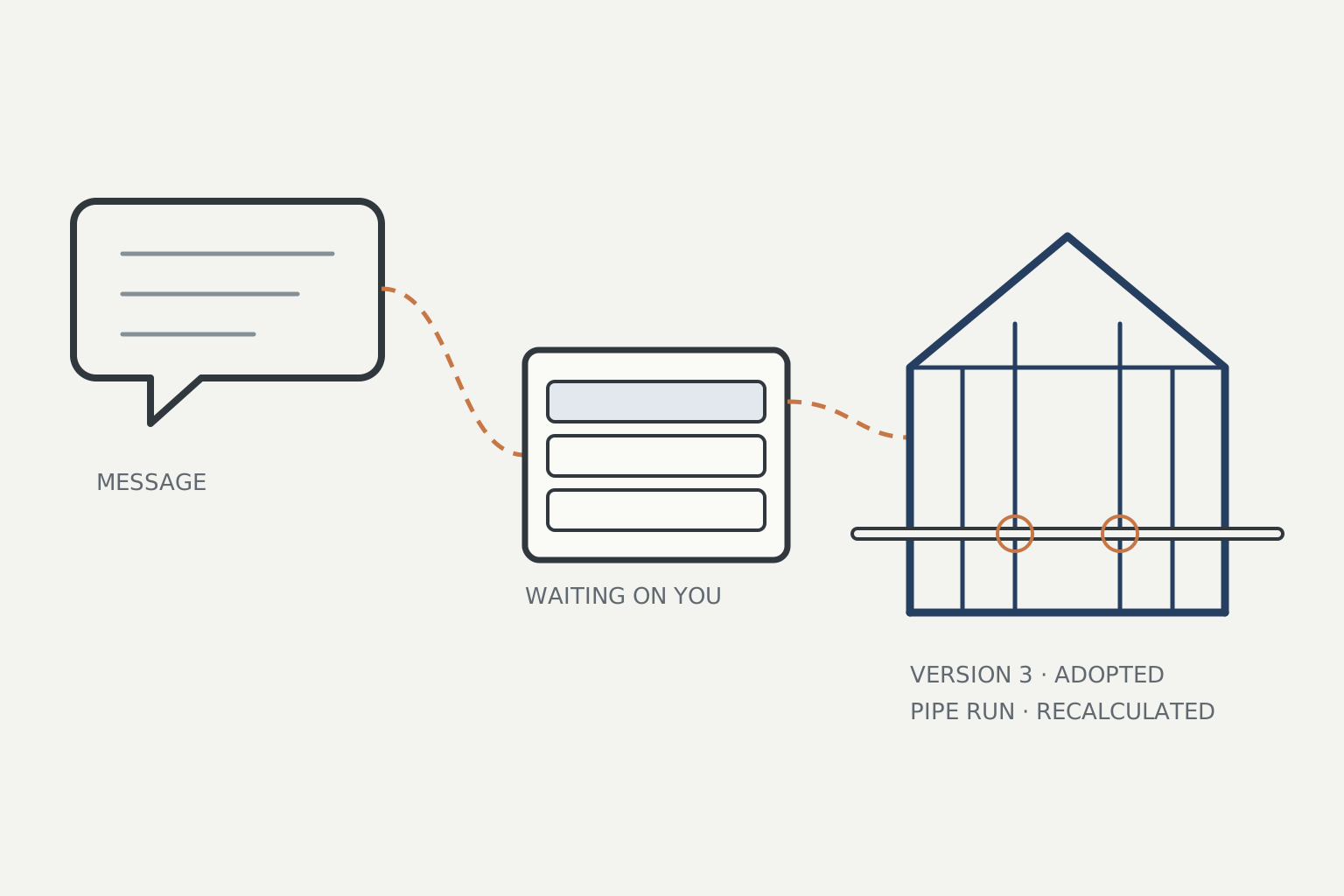
A change to a building rarely starts in the model. It starts as a line in a channel: "Can the door on the long wall move 300 mm towards the corner? The stove won't fit otherwise." Until now that line stayed in the channel. Someone had to notice it, open the model, make the change, check it and then tell everyone who depended on it. Each of those steps happened somewhere else.
In Connect each design has its own address and its own record of everything that happened to it. As of this week, those pieces form one working loop in the workspace. Here is one message going all the way round.
The message arrives
The fabricator writes the line above in the channel the design is connected to. The design keeps the message as it arrived, with who sent it and from where, and puts it in the design's chat at the time it came in. The decision model reads it as a change request. It does not change the design.
If the owner has chosen to have requests run on their own, the request runs as a proposal on the latest version. Otherwise it waits for the owner to press run. Either way, each candidate comes back as a scenario with its checks.
It waits in one list
The owner opens Nordform. Because something is waiting, it opens on Waiting on you rather than the last project. That is one list across all their designs: messages, tasks handed to them, decisions asked of them, designs that follow one they changed, interface values their firm has to answer, scenarios they kept and answers drafted for them to send. Each row is one sentence and one action.
The fabricator's message is a row on the cabin design. Its action opens the cabin's chat at that message, with the scenario showing in the model beside it.
A scenario, kept or adopted
The scenario moves the door and passes its checks. Above the adopt button, the chat says which locked dimension, sign-off, requirement or recorded decision the change touches. If the owner is not ready to decide, they can keep the scenario. A kept scenario is stored with its check results, pinned to the version it answered, and stays in the list. When the design moves on, it is marked out of date and offers to run again on the current version.
Before adopting: what it would reach
The adopt card now shows what adopting would reach before anything is saved. A pipe run reads the cabin as the structure it passes through, so the card works the pipe run out again against the version adopting would make and shows the opening it would then need. The card also lists who holds a package of an earlier version, and where the fabricator's message was answered. Nothing has been sent at this point.
After adopting: what went out
The owner presses Adopt and answers the sign-off questions. That saves version 3. Under it, the chat lists what went out with the new version. The pipe run was recalculated against version 3 with its own inputs unchanged, and is now waiting for its owner to update or keep the version it read. The holders of the earlier package have not been sent anything yet; they will be told when a package of version 3 is prepared or issued. The fabricator had their answer in the Slack thread when the run finished, with a link to a page showing how the message was read and what ran; adopting sends nothing more there.
On the pipe run's side, the recalculation is a row in its owner's Waiting on you, with the checks that moved. Updating it is that owner's decision.
The rest of the loop
- Questions answered from the record. When a message asks a question ("is the door 900 mm wide?"), the design drafts an answer from its record: the version's inputs, its checks, decisions, sign-offs and requirements. Each fact names its source, and a quantity in the question is compared with the version. No run starts, and nothing is sent until the owner presses Send.
- One graph. A design's header has a Graph of what it reads, what reads it, the packages it shares an interface with and its open recalculations. Each line opens the place where it is decided.
- What was done goes out too. An issued package, a sign-off, a recorded decision or an adopted version is written to the design's stream. It shows in the chat, goes to webhooks as identifiers, and, if the owner turns it on, gets one line in the channel.
- Who is waiting on whom. In a delivery between several companies, a Waiting view lists what each company owes the others, oldest first, with dates: requests for information, changed values to answer, objections to settle, releases to sign, packages to issue and links to confirm. Each issued package also lists what changed since the one before it and what caused each change, or says there is no recorded cause.
- Across companies. The structure can belong to another company. Its administrator shares the design as a host, from one version onward or for a range of versions, at a chosen level, and can revoke the share. The reading design asks for a link and the host's side confirms it. Only a confirmed link is recalculated, and recalculating costs neither side anything.
What a person decides
Every step that changes something is a button a person presses: run, keep, adopt, update, send. Adoption and approval always come from a person.
A pipe run or a set of final circuits reads the design it sits in, one step along the chain. How Connect works describes the whole loop.